1. The content, as final as possible
This is the biggest factor in both cost and timeline. Send:
- Specifications in a spreadsheet, an old datasheet, or a table in a document. Any format is fine as long as it is current.
- Product descriptions and feature lists, even rough ones.
- Part numbers, options and accessories if they need to appear.
- Certifications and standards the product meets, with the logos you are allowed to use.
2. Images and drawings
- Product photos or renders at the highest resolution you have. Photos taken from a website are usually too small to print.
- Technical drawings with dimensions, as PDF, DWG or vector files where possible.
- Application photos showing the product in use, if you have them. They make brochures and case studies far stronger.
3. Brand files
- Your logo as a vector file (AI, EPS, SVG or PDF), not a JPG.
- Your brand guidelines, or at least your colours and fonts.
- Any existing documents that should match: an older datasheet, your website, your presentation template.
4. Format and use
- Page size: A4 or US Letter. If you sell in both regions, say so.
- How it will be used: printed, website download, email attachment, trade show. This changes file setup and sometimes layout.
- Languages: if a translated version is coming later, the layout needs room for longer text.
- Printer details: if you already have a printer, their bleed and color requirements.
5. References you like
Two or three documents you like, from competitors or from any industry, help more than a long written brief. Say what you like about each one: the layout, the colour, how the tables look.
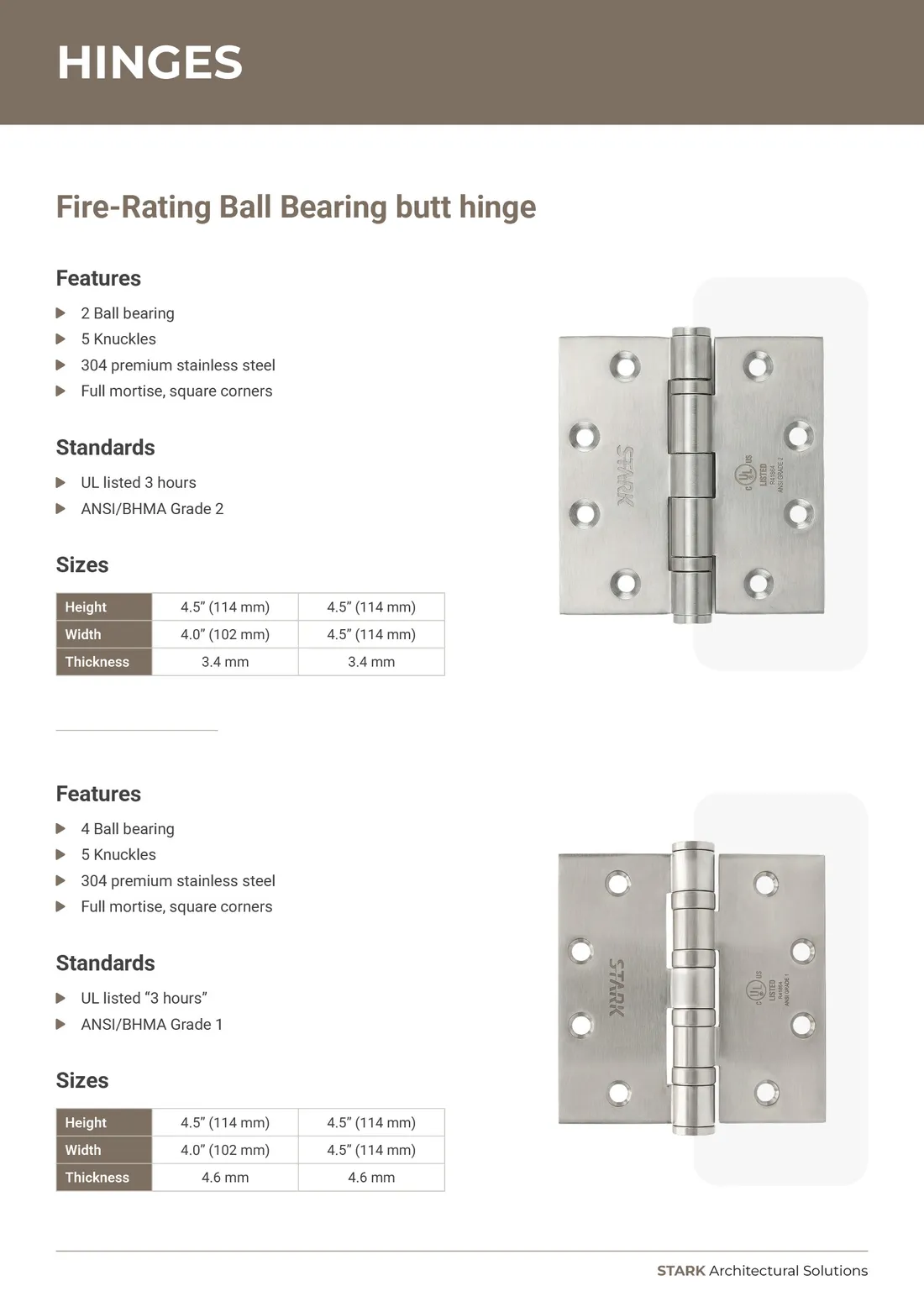
6. Who approves it
Agree internally who gives feedback and who signs off. Feedback that arrives from three people in three separate emails, sometimes contradicting each other, costs more revision rounds than anything else. One consolidated list of changes per round keeps projects fast.
7. The real deadline
Tell your designer when you actually need the files and why, for example a trade show date or a print deadline. Working back from the real date lets them plan review rounds properly, instead of rushing at the end.
Ready to start?
You don't need everything on this list to get a quote. Send what you have and I'll tell you what's missing. See my services or use the form below.