User Manual Design
Installation and operation manuals people can actually follow
A manual gets read when something needs installing, fixing or checking, often on site and in a hurry. I lay out user manuals, installation guides and quick start guides for industrial equipment so the right step is easy to find and hard to misread.
- Manuals and quick start guides
- Safety and warning layouts
- Structured for updates
What makes manuals hard to use
I trained as a mechanical engineer before moving into design, so I read your specs the way your buyers do. That changes what goes where on the page.
The usual problems
- Long pages of text with no visual steps
- Safety warnings that look like everything else on the page
- No contents page or page references, so nobody finds the right section
- A different manual layout for every product in the range
How I fix them
- Numbered steps with the image next to the step it explains
- Clear warning, caution and note styles that stand out
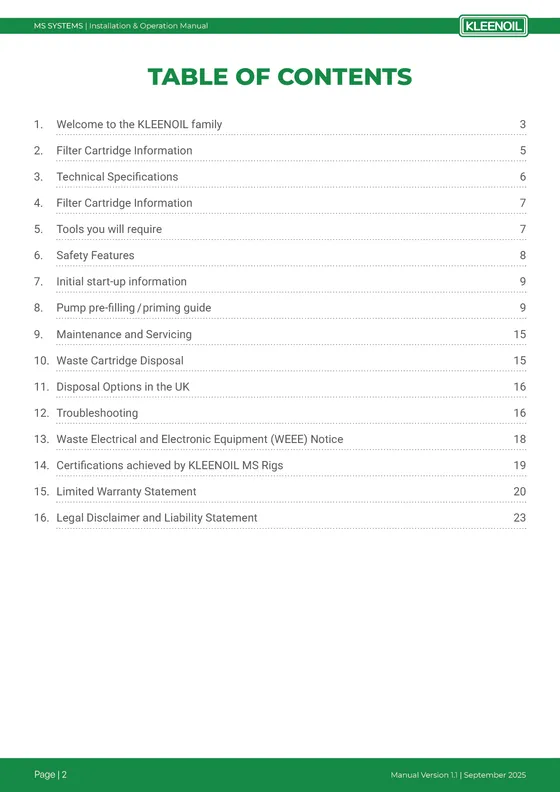
- A contents page, running headers and version info on every page
- One manual system shared across your product range
What you get
A clear structure
Contents, numbered sections, running headers and page numbers that match the contents page.
Step-by-step pages
Procedures laid out as numbered steps with the relevant photo or diagram beside them.
Safety notices that stand out
Consistent warning, caution and note boxes so critical information is never missed.
Spec and troubleshooting tables
Technical data, fault tables and maintenance schedules that are easy to scan.
Version control
Version and date in the footer so your team always knows which edition is current.
Quick start guides
Short versions for the box or the machine, matching the full manual.
Recent user manual work
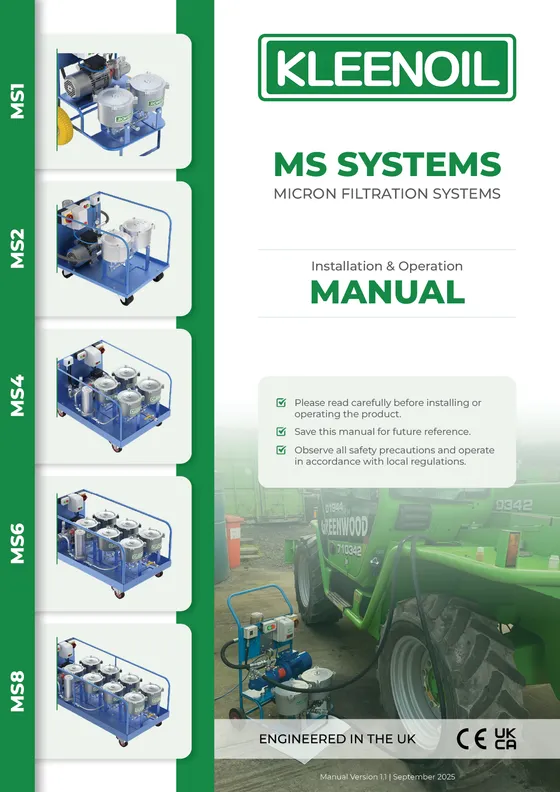
Real projects for industrial and technical brands. Previews are flattened to protect client files; clients receive full-resolution PDFs.

How it works
Send what you have
Specs, an old PDF, product photos, your brand guide. A rough draft is fine. If something important is missing, I tell you up front.
Fixed quote in 24 hours
You get a scope and a fixed price before anything starts. No hourly meter, no surprise invoice at the end.
Structure, then design
I sort the content into the order a buyer reads it, then build the layout in InDesign around that structure.
Review and deliver
Two rounds of revisions are included. You get a print-ready PDF and a web-ready PDF, with source files on request.
Longer manuals get a lower per-page rate. Technical diagrams and redrawn illustrations are quoted separately so the base price stays clear. You get a fixed quote within 24 hours of sending your content. 50% to start, 50% before final files.
“It's unbelievable as to what you have made for us. It far surpasses anything we expected and the results are faultless. You have helped take us to a better level of professionalism.”
Questions about user manual design
The technical content comes from you, since your engineers know the product. I structure it, tidy the wording so it fits the layout, and design every page.
I can draw simple diagrams, callouts and icons. Detailed technical drawings should come from your engineering team. I'll place and label them consistently.
Yes. Send the current Word or PDF version and I rebuild it in a clean, consistent layout without losing any content.
Yes. Once the manual system is set up, the next manual in the range is faster and cheaper to produce.
A 20 to 30 page manual usually takes two to three weeks, depending on how final the content is and how many images need preparing.