What a datasheet is for
A datasheet has one job: let a qualified buyer decide whether your product fits their need, without having to call you. It is usually the last document someone reads before they shortlist a product or send it to a colleague for approval.
That makes it different from a brochure. A brochure tells a story and builds interest. A datasheet answers questions. If a buyer has to hunt for the operating temperature, the datasheet has failed, however good it looks.
Who reads it
In B2B, a datasheet usually has at least three readers, and each one scans for something different:
- The engineer or specifier checks performance, dimensions, ratings, materials and compatibility.
- The buyer or procurement team looks for part numbers, certifications, options and who to contact.
- The decision maker wants to know what the product is and why it is better, in about ten seconds.
A good layout serves all three without making any of them read the other two's sections.
A structure that works
For a two-page datasheet, this order works for almost every industrial product:
- Header: product name, model number and a one-line description.
- Overview: two or three short sentences on what the product does and where it is used, next to a clear product image.
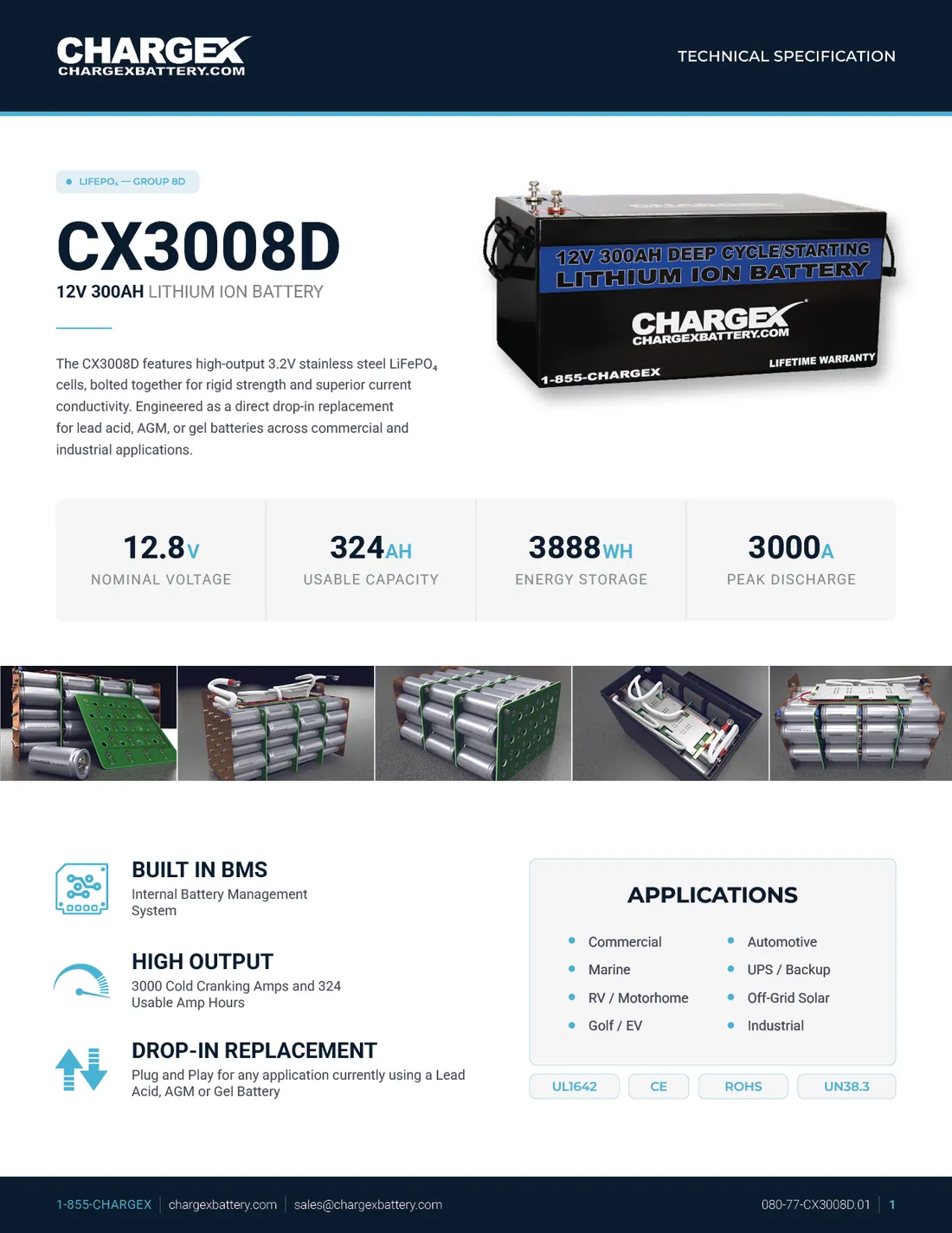
- Key figures: the four or five numbers that decide the purchase.
- Features and benefits: short lines, not paragraphs.
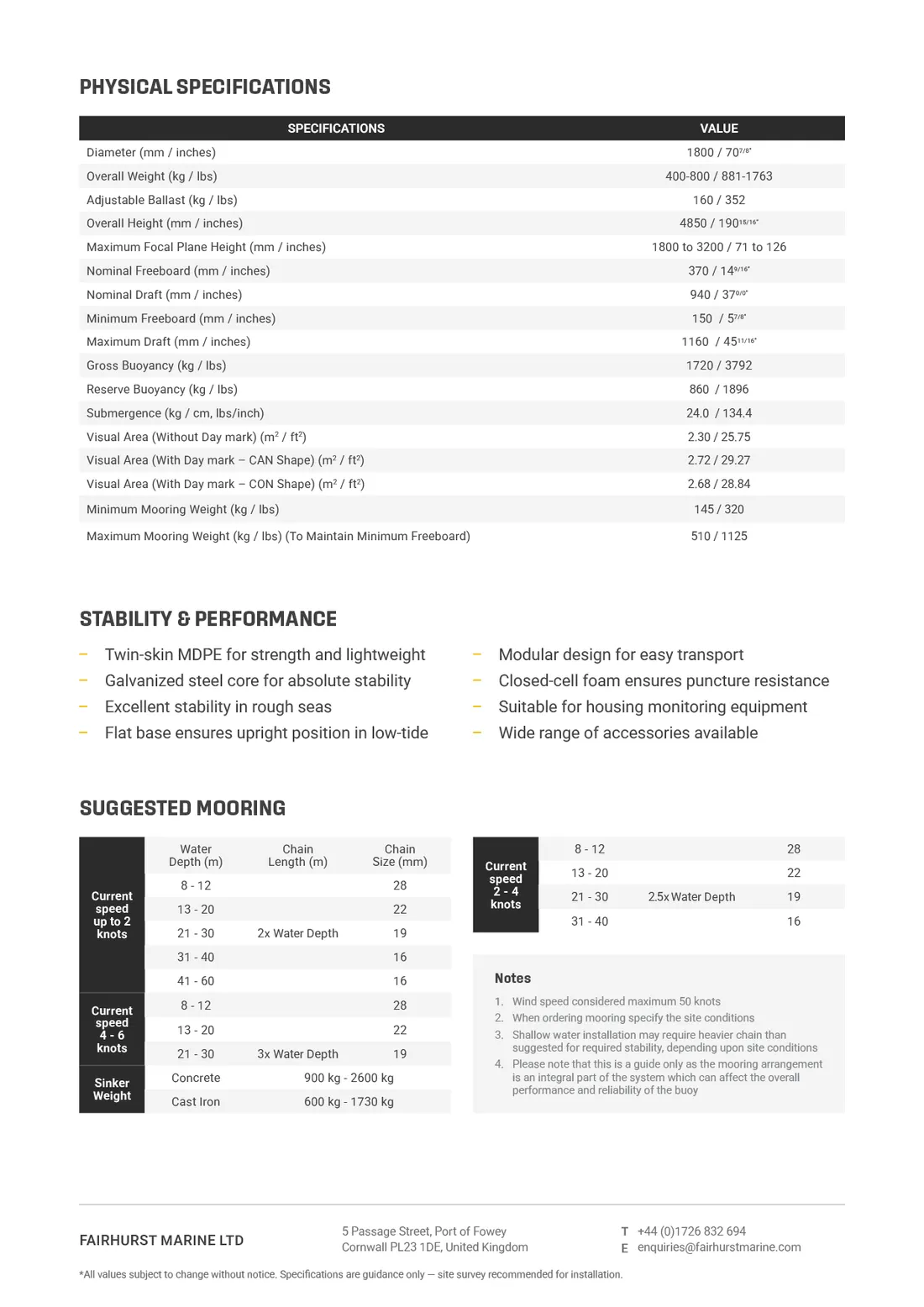
- Full specifications: grouped tables on page two.
- Dimensions, options and ordering: drawings, part numbers, accessories.
- Certifications and contact: badges, website, document code and revision.
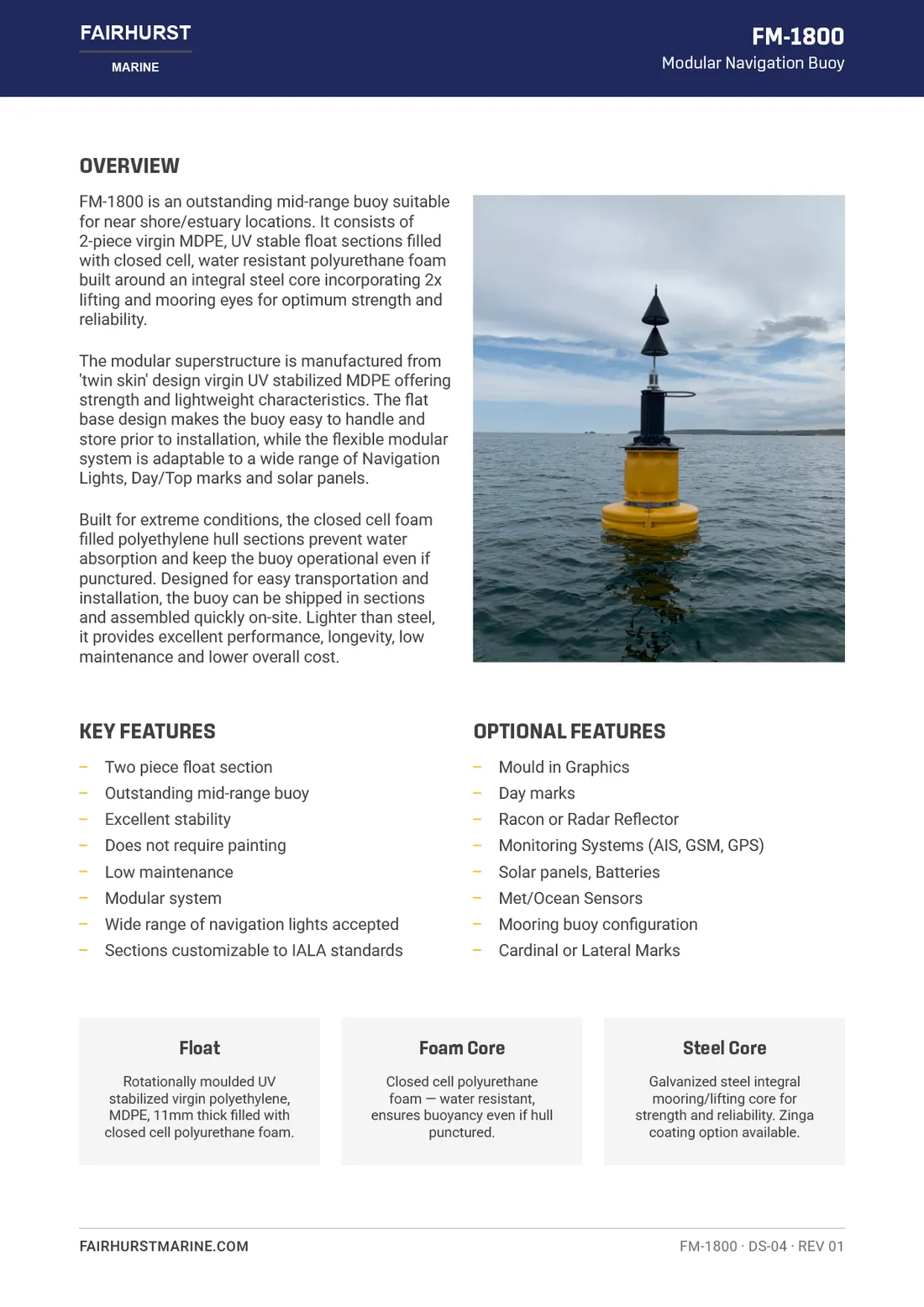
The point of this order is simple. Page one answers "is this the right kind of product?" Page two answers "will this exact model work for me?" Readers who only need the first answer can stop early.
Put the deciding numbers first
Every product has a handful of numbers that decide most purchases. For a battery it might be voltage, usable capacity, energy and peak discharge. For a pump it might be flow rate, head, power and connection size. For a film or coating it could be light transmission, UV rejection and lifespan.
Pull those numbers out of the table and give them their own strip near the top of page one, in large type with the unit next to them. They will still appear in the full table on page two. Repeating them is not a waste of space; it saves the reader a search.
Spec tables that can be trusted
An engineer judges your whole company by the spec table. Small inconsistencies make people doubt the numbers, and a buyer who doubts the numbers will ask a competitor instead. A few rules make a big difference:
- Group related values under short headings: electrical, mechanical, environmental, dimensions. Long single tables are hard to scan.
- Keep units in one place. Either in a units column or in the row label, never both, and never mixed within a table.
- Be consistent with decimals and symbols. If one row says 12.0 V and the next says 14.4v, it looks careless.
- Show both unit systems when your market needs them. Marine and construction buyers often work in metric and imperial. Put both side by side rather than leaving the reader to convert.
- Align numbers so they compare easily. Left-aligned labels, consistently aligned values, light row dividers rather than heavy boxes.
- Check that every figure matches across the document. If the key figures strip says one thing and the table says another, readers will trust neither.
Photos, diagrams and icons
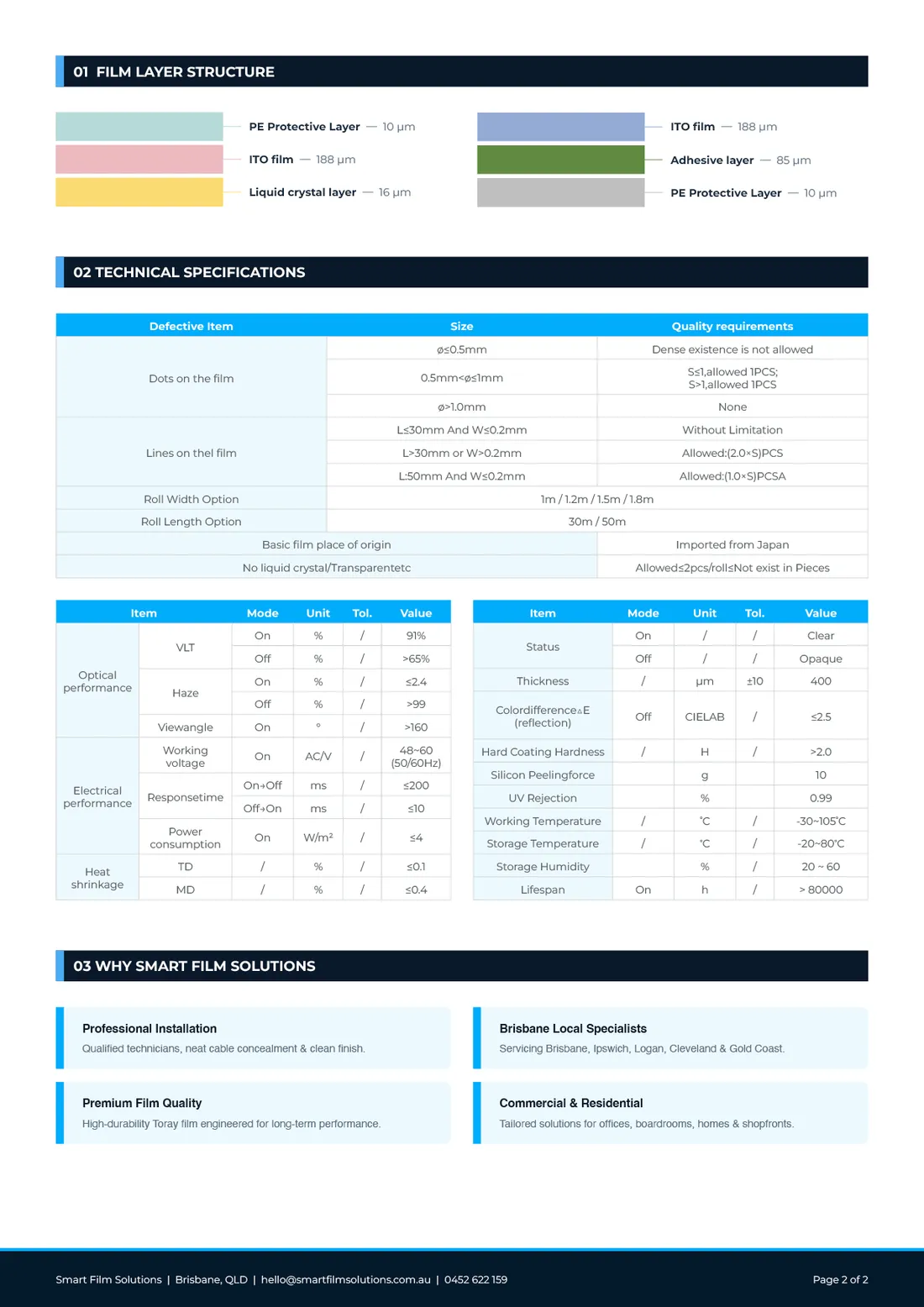
Use images to answer questions, not to fill space. A clean product photo or render tells the reader what they are looking at. A dimension drawing answers "will it fit?" A labelled diagram explains adjustments or layers far faster than text.
Icons work well for features, as long as each icon has a short label and they are drawn in one consistent style. Avoid mixing icon sets from different sources; it makes the document look assembled rather than designed.
Designing a series, not a single sheet
If you sell more than one product, design the first datasheet as a template. Decide where the model name, overview, key figures, features and tables go, and keep them there for every product. Buyers comparing two models will thank you, and every new datasheet becomes faster and cheaper to produce.
Add a document code and revision number in the footer, for example "FM-1800 DS-04 REV 01". It sounds minor, but it saves real confusion when a value changes and old PDFs are still being emailed around.
A checklist before you send it out
- Can someone tell what the product is from the top third of page one?
- Are the deciding numbers visible without turning the page?
- Are units, decimals and naming consistent across every table?
- Do the key figures match the full specification table?
- Is there a clear product image, and a drawing if fit matters?
- Are certifications, part numbers and contact details easy to find?
- Is there a document code, revision and date?
- Does it read well both printed and on a phone screen?
If you want a second pair of eyes on an existing datasheet, or need a new one designed, see my datasheet design service. Clients send me their current PDF and I rebuild it with every spec kept.